
Bing Bar herunterladen – Schneller Zugriff, Suche und soziale Integration
Übersicht
Bing Bar ist Microsofts kompakte Symbolleiste, die speziell für Internet Explorer 7 und neuer entwickelt wurde. Sie bringt die volle Leistung der Bing‑Suchmaschine, Wetter‑Updates, Aktienkurse, Nachrichten‑Überschriften und eine Reihe von Microsoft Live‑Diensten direkt in die Symbolleiste des Browsers. Die neueste Version lässt die Unterstützung für Firefox und andere Browser weg und konzentriert sich ausschließlich auf Internet Explorer, um dessen integrierte Sicherheitsfunktionen zu nutzen.
Nach der Installation bietet Bing Bar sofortige Verknüpfungen zu beliebten Microsoft‑Diensten wie Hotmail, Windows Live Calendar und OneDrive, während gleichzeitig Facebook‑Chat‑ und „Like“-Buttons für nahtlose soziale Interaktion eingebettet werden. Das Auto‑Complete‑Suchfeld der Symbolleiste sagt Anfragen beim Tippen voraus und kann sogar Antworten in einem Pop‑Up‑Fenster anzeigen, sodass ein Besuch einer vollständigen Ergebnisseite entfällt. Zusätzlich können Nutzer optionale Mini‑Apps wie einen Übersetzer, einen Kinoprogramm‑Checker und einen Rewards‑Programm‑Manager herunterladen, der Punkte verfolgt, die durch die Nutzung von Bing verdient werden.
Obwohl die Inhalte stark US‑zentriert sind, bleibt die Symbolleiste ein wertvoller Produktivitäts‑Boost für alle, die einen großen Teil ihres Tages in Internet Explorer verbringen und sofortigen Zugriff auf Suche, Soziales und persönliche Informationen wünschen, ohne zusätzliche Tabs zu öffnen.
Hauptfunktionen und integrierte Werkzeuge
- Instant Bing Search with Auto‑Complete: As you type, the bar suggests popular queries and can show direct answers in a compact overlay.
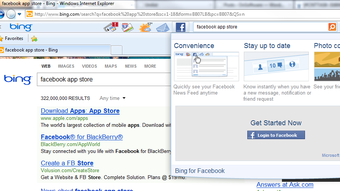
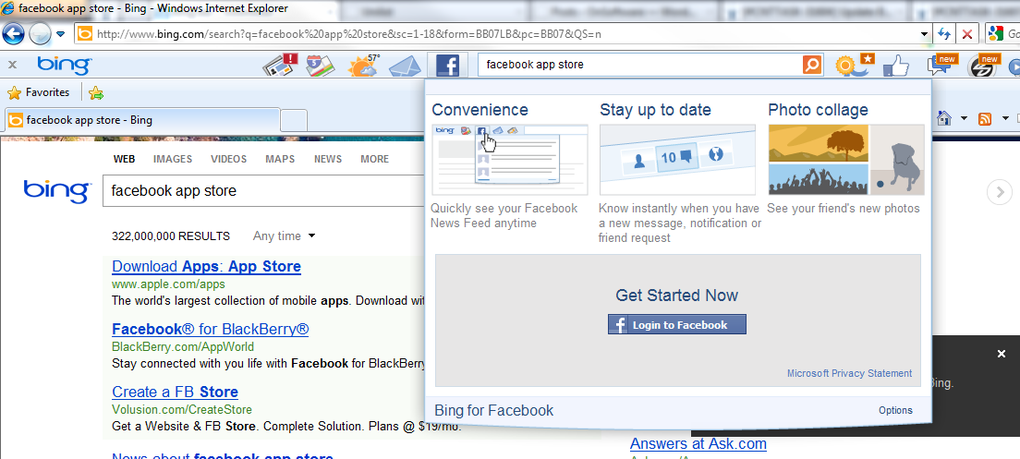
- Facebook Integration: Chat with friends, view notifications, and “Like” pages directly from the toolbar.
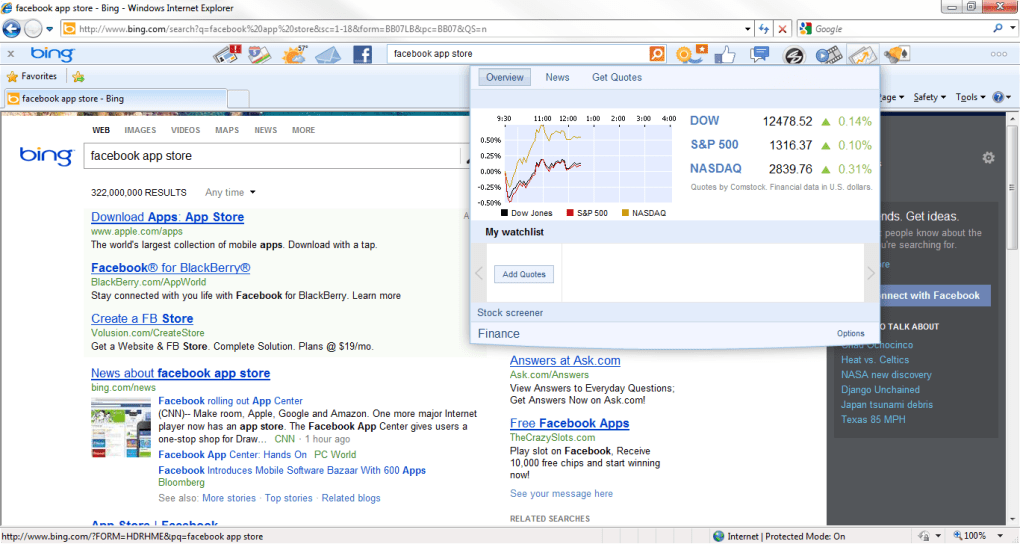
- Live Weather, Stocks, and News Widgets: Real‑time updates appear in drop‑down panels without leaving the current web page.
- Microsoft Live Service Hub: Quick links to Hotmail, Windows Live Calendar, Photos, Groups, and OneDrive.
- Rewards Program Sign‑Up: Earn Bing points for searches and toolbar usage, redeemable for gift cards and discounts.
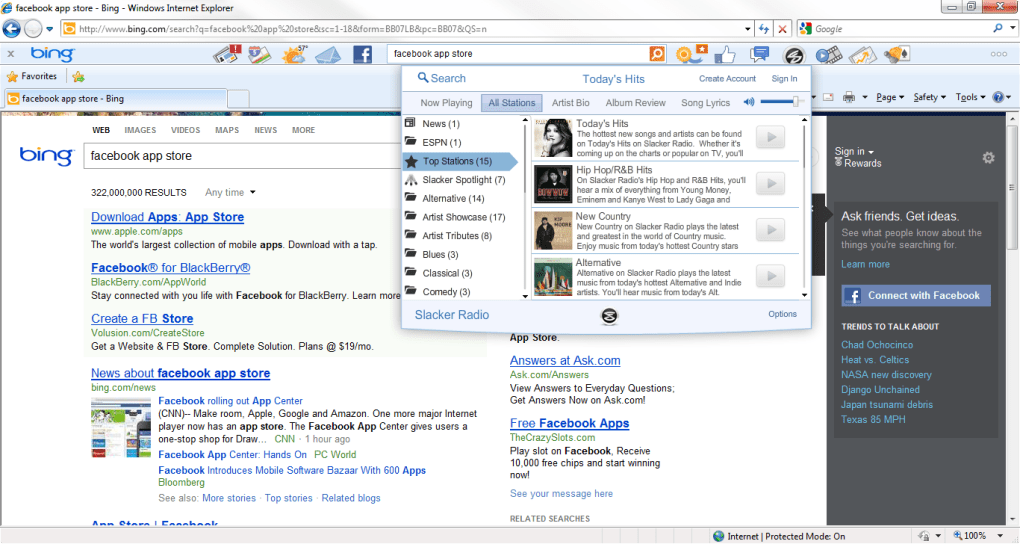
- Optional Mini‑Apps: Translator, movie‑times, and other small utilities can be added through the Settings menu.
- Notification Management: Enable or disable alerts for specific services, keeping the toolbar clutter‑free.
- Secure IE‑Only Operation: Leverages Internet Explorer’s security sandbox, eliminating the need for separate security modules.
Each feature is designed to keep you in the flow of work. For example, the weather widget updates every hour and can be set to your local zip code, while the stock ticker pulls data from major exchanges and displays price changes in real time. The Bing Bar’s search overlay not only suggests completions but also pulls answers from Bing’s knowledge graph, showing definitions, unit conversions, or quick facts without a full page load. This reduces bandwidth usage and speeds up decision‑making, especially on slower connections.
From a social perspective, the embedded Facebook Chat window functions like the desktop version, supporting instant messaging, status updates, and file sharing. The “Like” button appears next to each search result, allowing you to endorse pages without navigating away. This integration was a standout addition in the latest release, merging search and social activity into a single, streamlined experience.
Installation, Nutzung und Kompatibilität
Schritt‑für‑Schritt-Installation
- Visit the official Microsoft download page for Bing Bar.
- Click the Download button; the installer file (
BingBarSetup.exe) will be saved to your default downloads folder. - Run the installer and confirm any User Account Control prompts.
- Follow the on‑screen wizard: accept the license agreement, choose the default installation path, and select optional mini‑apps you wish to include.
- After installation, Internet Explorer will restart automatically, displaying the Bing Bar directly beneath the address bar.
Installation typically completes within two minutes on a standard broadband connection. If the toolbar does not appear, verify that Internet Explorer’s add‑on settings allow third‑party extensions and that the “Bing Bar” entry is enabled in the Manage Add‑ons window.
Tipps für den täglichen Gebrauch
Once installed, the toolbar is ready for immediate use. Simply click the search field to start typing a query; suggestions appear instantly. To view answers without navigating away, enable the “Pop‑up Answers” option in the Settings menu (gear icon). For weather updates, click the weather icon and select your preferred city; the drop‑down will show temperature, humidity, and a five‑day forecast.
Facebook users can log in by clicking the Facebook icon, which opens a small chat window. From here you can send messages, view friend requests, and “Like” the current page with a single click. To manage notifications from Microsoft services, open the Settings panel, expand the “Notifications” section, and toggle alerts for Hotmail, Calendar, or Photos as needed.
Power users often customize the toolbar layout by dragging and dropping icons, or by right‑clicking any widget to hide it permanently. This flexibility ensures the bar only displays the tools you use most frequently, keeping the interface clean and focused.
Systemanforderungen und unterstützte Plattformen
Bing Bar is built exclusively for Internet Explorer 7, 8, 9, 10, and 11 on Windows XP (SP3) and later versions, including Windows 7, 8, 8.1, and 10. The toolbar does not support 64‑bit versions of Internet Explorer; a 32‑bit installation is required. Because the tool is IE‑only, it will not function on Microsoft Edge, Chrome, Firefox, or any mobile browsers such as Android or iOS Safari.
Minimum hardware requirements are modest: a 1 GHz processor, 256 MB of RAM, and at least 50 MB of free disk space for the core application and optional mini‑apps. An active internet connection is required for real‑time data like weather, news, and search suggestions.
Vor- und Nachteile
Vorteile
- Fast, auto‑complete search directly from the toolbar.
- Seamless Facebook Chat and “Like” integration.
- Instant access to weather, stocks, news, and Microsoft Live services without opening new tabs.
- Customizable mini‑apps and notification settings.
- Leverages Internet Explorer’s built‑in security, reducing the need for additional security modules.
- Rewards program encourages regular use of Bing.
Nachteile
- Limited to Internet Explorer; no support for modern browsers.
- Content heavily focused on the United States, making some news and services less relevant internationally.
- Optional mini‑apps are few in number and not regularly updated.
- Requires 32‑bit Internet Explorer, which may be a hurdle for users on 64‑bit systems.
- Removal of the previous version’s security features places full reliance on IE’s security model.
Häufig gestellte Fragen
Ist Bing Bar kostenlos zum Herunterladen und Verwenden?
Ja, Bing Bar ist völlig kostenlos. Sie können es von Microsofts offizieller Website herunterladen, ohne Kosten installieren und alle Kernfunktionen ohne Abonnement nutzen.
Kann ich Bing Bar in anderen Browsern als Internet Explorer installieren?
Nein. Die neueste Version von Bing Bar unterstützt nur Internet Explorer 7 und neuer. Frühere Versionen waren mit Firefox kompatibel, diese werden jedoch nicht mehr gepflegt.
Wie funktioniert das Rewards‑Programm?
Jedes Mal, wenn Sie über Bing Bar eine Suche durchführen, erhalten Sie Punkte. Gesammelte Punkte können über das Microsoft Rewards‑Portal, das Sie im Einstellungsmenü der Symbolleiste erreichen, gegen Geschenkkarten, Rabatte oder wohltätige Spenden eingelöst werden.
Sind meine persönlichen Daten sicher, wenn ich die Facebook‑Integration nutze?
Die Facebook‑Integration verwendet denselben OAuth‑Authentifizierungsprozess wie die reguläre Facebook‑Website. Ihre Zugangsdaten werden verschlüsselt und nie lokal von Bing Bar gespeichert. Sie sollten jedoch sicherstellen, dass Ihre Internet Explorer‑Sicherheitseinstellungen aktuell sind.
Kann ich Bing Bar deinstallieren, wenn ich es nicht mehr benötige?
Ja. Öffnen Sie die Systemsteuerung → Programme und Features, suchen Sie „Bing Bar“ und wählen Sie Deinstallieren. Nach der Entfernung starten Sie Internet Explorer neu, um verbleibende Symbolleisten‑Reste zu entfernen.
Endgültiges Urteil
Overall, Bing Bar delivers a solid blend of search efficiency, social connectivity, and quick‑access widgets that can boost daily productivity for Internet Explorer users. While its browser limitation and U.S.-centric content may deter some, the free price point, seamless Facebook integration, and optional mini‑apps make it a worthwhile addition for anyone looking to keep essential information at their fingertips without cluttering the screen.
For those still using IE as their primary browser, especially in corporate environments where legacy applications dictate browser choice, Bing Bar is a valuable companion. It consolidates multiple Microsoft services, offers real‑time data, and encourages frequent Bing usage through a rewards program. If you need a lightweight, secure toolbar that keeps you informed and connected, download Bing Bar today and start experiencing the convenience it brings.







